


In one line: An Agent Team’s memory isn’t one system — it’s three systems stacked by purpose.
The previous article covered Agent Em’s knowledge system. This one picks up where that left off and talks about the memory system that sits alongside it.
I was on my travel Macbook Air, discussing a design decision with GM — specifically about the format of completion reports when Em and C7 are working in parallel: what fields to include, what structure to use when reporting back to GM. We went back and forth for ten or fifteen minutes, made a few judgment calls, and ended the session.
The next day I opened my old Macbook Pro at my desk, started GM, and asked: “What format did we decide on for the completion report?” He had no idea. This is actually a very common scenario, because he genuinely didn’t remember that conversation — it had happened on my travel Macbook Air, so the session history lived in ~/.claude/ on that machine. Switch machines, and of course he “forgets.”
That exposed a problem worth thinking carefully about: An Agent’s memory problem isn’t “can it remember?” — it’s “where does it remember?” A large enough Context window, resumable session history — these are all solutions to the “single machine, single session” standard workflow. But once your work spans multiple machines, multiple sessions, and multiple Agents, “remembering” suddenly becomes a distributed systems problem. Scale it further to a multi-user online system and you have an IT-grade distributed memory management challenge: how do you manage each person’s Repo, Agent, and Memory?
Three-Layer Memory: State, Wiki, mem0
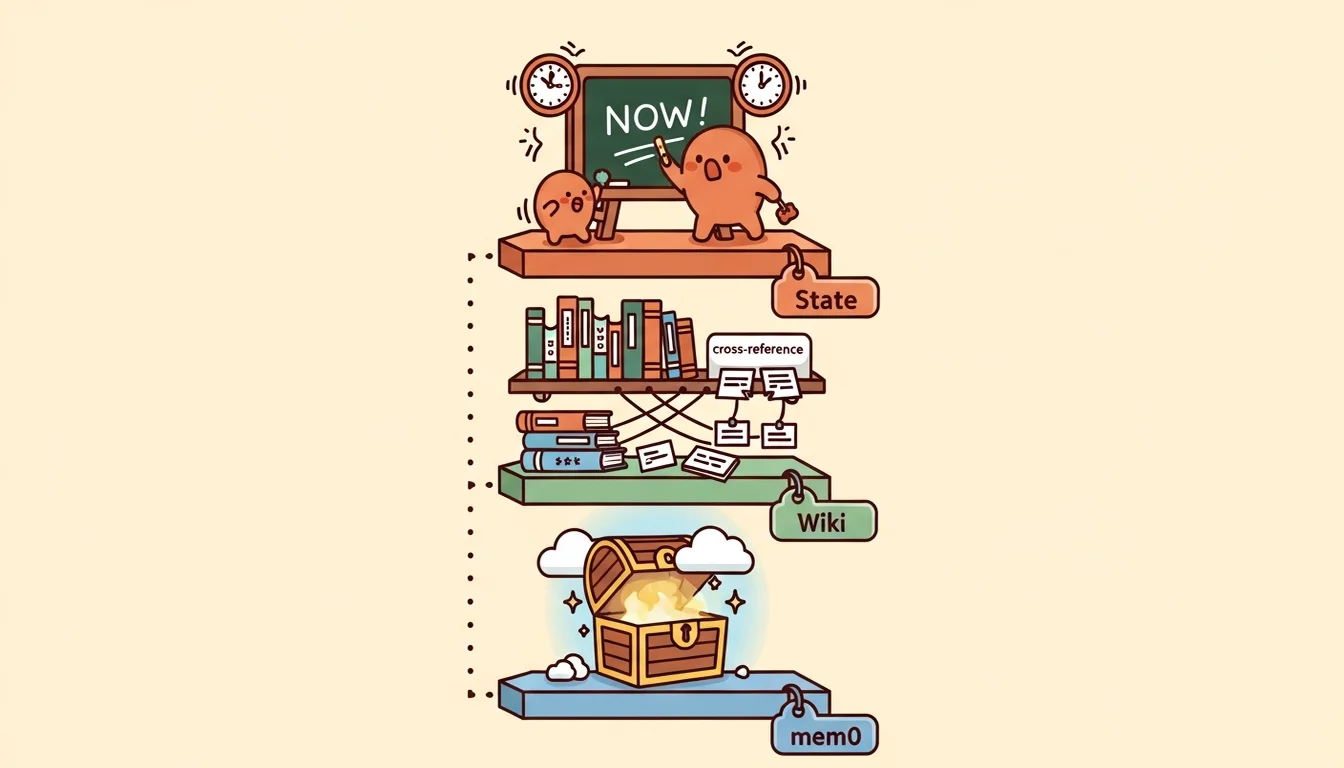
After the experience building Agent Em’s common-knowledge system, I knew I needed to be more careful this time. So I designed a three-layer memory architecture [2][10] — not because I have a fixation on the number three, but because I kept running into three distinct scenarios where I needed Agents to “remember” things, and those scenarios are fundamentally different in nature. Cramming them into one system causes interference (though some researchers do argue that dynamic self-organizing memory may be more adaptive than static layering [3] — AI is like that: today’s golden rule might be overturned tomorrow, and building something concrete teaches you more than theorizing). The three scenarios break down like this:
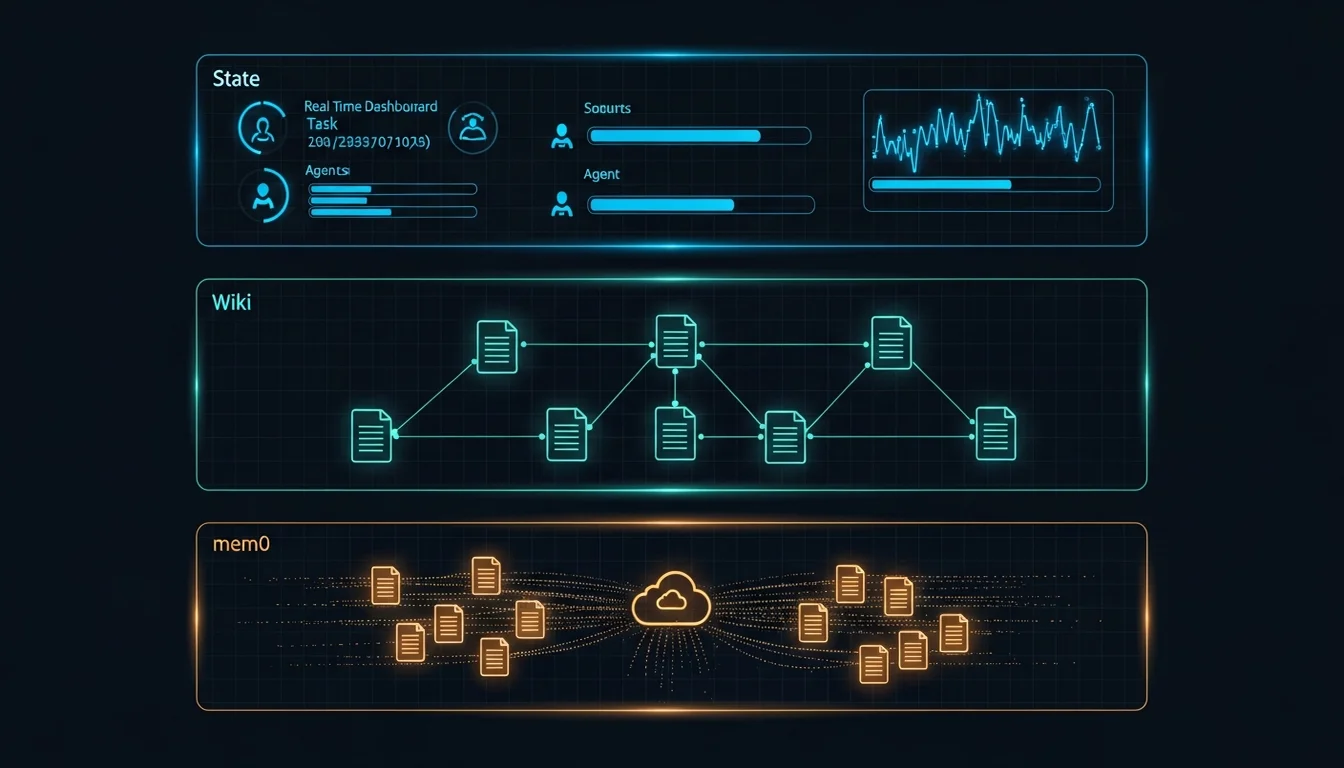
State (what’s happening right now): The most volatile layer, updated on the order of minutes. The contents are “who’s doing what, how far along they are, and what comes next.” Lives in agent-GM/state/team-status.md, which GM reads at the start of every session and updates after completing work. Synced via Git, so it’s visible across machines.
Wiki (what we know): Medium stability, updated on the order of days. The contents are Em’s compiled, structured knowledge — concept pages, entity pages, cross-references, analysis reports (covered extensively in the previous article). Lives in agent-Em/wiki/, synced via Git. Any Agent can read it, but only Em can write to it.
mem0 (why we made this decision): The most stable layer [1], updated on the order of weeks. The contents are cross-session decision memory — things like “we decided GM handles internal state and G7 handles the external fleet” or “Em’s refactor happened because CLAUDE.md was violating the methodology in the wiki.” Lives in Qdrant Cloud [4], cloud-synced, immediately visible across machines.
Why can’t we merge these into one system? Because the three layers differ in update frequency, query patterns, and ownership. State changes every few minutes — you don’t want to push it through the wiki’s /ingest pipeline (too heavy for high-frequency updates). Wiki content needs structured cross-references — you don’t want to push it into mem0 (mem0 is vector search, not structured documents). mem0 content needs real-time cross-machine sync — you don’t want to push it through Git (Git requires manual commit + push; it isn’t real-time).
| Layer | Contents | Update Frequency | Sync Method | Owner |
|---|---|---|---|---|
| State | What’s happening right now | Minutes | Git | GM |
| Wiki | What we know | Days | Git | Em |
| mem0 | Why we made this decision | Weeks | Qdrant Cloud | GM (Phase A) |
mem0 Migration: From Chroma to Qdrant Cloud
mem0 started out running on a local Chroma instance (a local vector database) [5][6]. In Phase A it was only used by GM, in a simple setup: a SessionStart hook automatically searches for relevant memories when a session opens, and /m0-add is called manually before the session ends to store new decision memories (later automated as part of the “dreaming” process).
But “local” was the problem. Memories stored on one Mac are invisible from another Mac, and for me, switching between multiple machines — and even cloud environments or mobile — is completely normal.
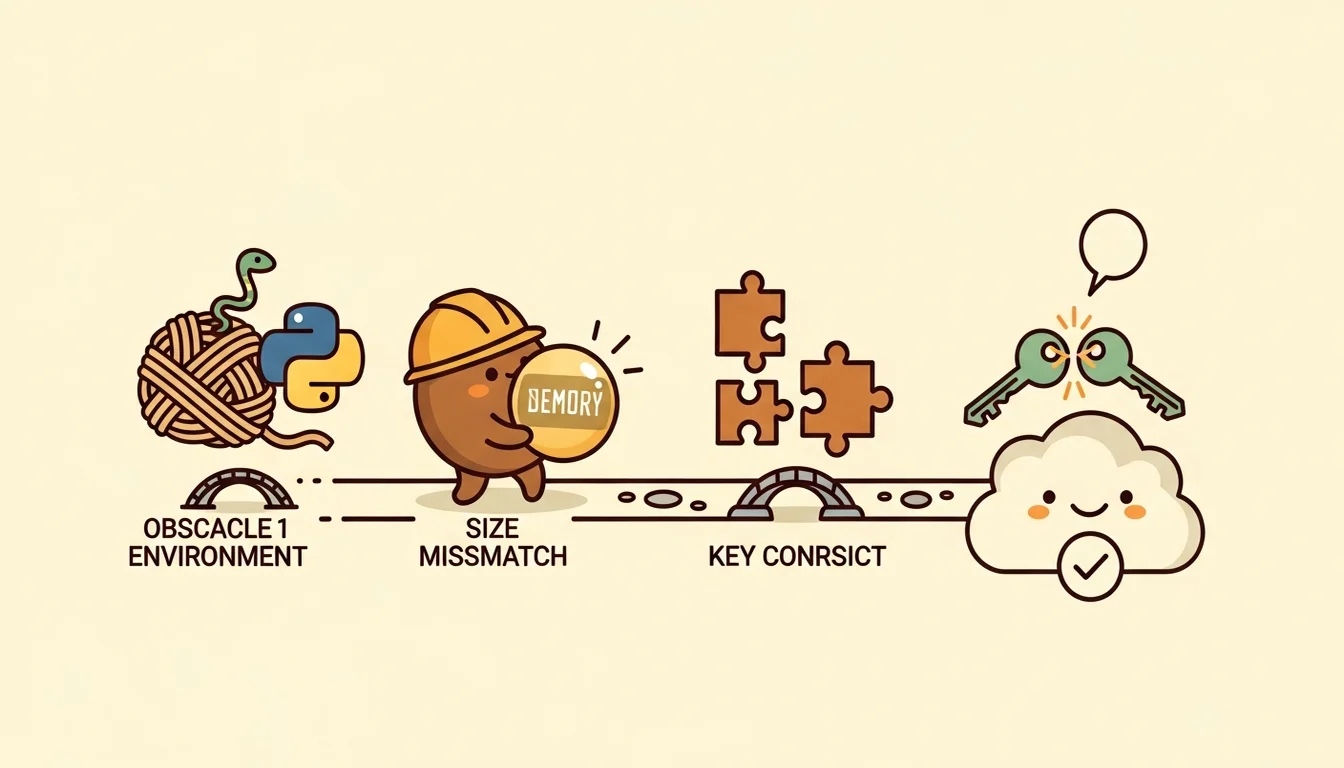
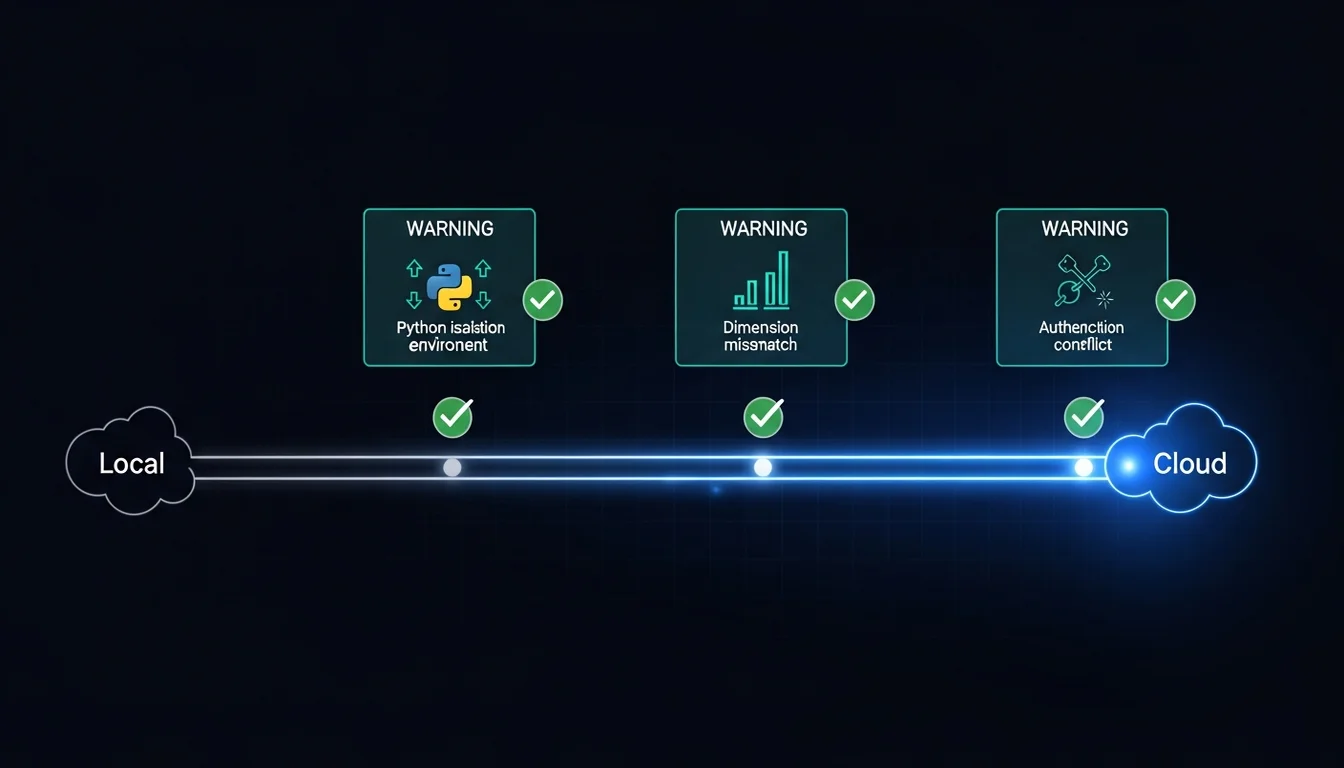
The actual migration to Qdrant Cloud wasn’t complicated (spin up a free tier cluster, update the vector store settings in config), but the path there had a few rough spots.
The first was macOS’s Python installation restrictions. Modern macOS prevents third-party packages from being installed directly into the system Python environment, to protect the system’s dependency tree. This means the Python packages mem0 needs can’t be installed directly — you have to create an isolated Python environment first and install everything inside it.
I already had a venv from earlier, which helped. But then I hit a cascading problem: I use an environment variable manager (direnv) that automatically activates the isolated environment when I enter the repo directory. But Claude Code’s SessionStart hook follows a different execution path when it runs, one that doesn’t pick up direnv’s configuration — so when the hook boots mem0, it can’t find the right Python. The fix wasn’t hard: configure the setup to detect who’s calling it and load the environment accordingly. Both of these issues are the kind of thing you can solve by asking an AI or searching the web.
The second was a vector dimension mismatch. This was purely a default value issue. When you create a database on Qdrant Cloud without specifying dimensions, it uses its default. But the semantic model I was using for mem0 outputs a different number of dimensions than that default. The first time I tried to store a memory, it errored out — a 384-dimensional vector (I wanted to keep it small to start) didn’t fit into a 1536-dimensional container.
The fix was also straightforward: delete the database on Qdrant, then let mem0 rebuild it from its config. After the rebuild, storing and searching all passed end to end.
The third was an API key conflict. mem0 needs an Anthropic API key to make language model calls (it’s a standalone Python program, not running through the Claude subscription). So the environment configuration needs an Anthropic API key — but Claude Code also reads this environment variable, and if it detects a key, it prioritizes the key over the subscription login. I wrote about this in the Claude Code multi-account guide. I only caught this the following day, because when Claude Code starts up it displays the model and usage method, but nobody’s usually reading that carefully — you typically notice the discrepancy when you check your bill (another silent failure). The fix: rename the environment variable with a mem0-specific prefix so Claude Code doesn’t recognize it, while mem0’s own scripts know exactly which name to read.
The three problems share a common trait: none of them were issues with mem0 itself — they were all friction between mem0 and its operating environment (macOS Python, Qdrant defaults, Claude Code environment variables). The hard part of a memory system isn’t “storing” and “retrieving” — it’s making the system run reliably inside an ecosystem built from multiple tools.
QMD Integration: Not a Fourth Layer, But a Search Interface
Near the end of the previous article I mentioned that as Em’s wiki grew larger, the token cost of each /query grew linearly — because Em was missing a search layer. QMD is the solution to that problem.
QMD is a local search engine designed specifically for markdown documents. It has three search modes: keyword search (fastest), semantic search (understands synonyms and natural language), and hybrid mode (slowest but most accurate — it automatically expands your query into multiple variants before searching).
QMD is not a fourth layer of memory [9]. It doesn’t store any new knowledge. It’s simply a search interface for the wiki. The wiki pages are still markdown files that Em writes; QMD just indexes those markdown files so that queries don’t require traversing the entire wiki.
The integration happened in three phases, each with its own clean commit:
Phase 1 (Em’s internal upgrade): Modified Em’s query flow from “read index → guess which pages are relevant → read all of them” to “search first → read only the pages the search returns.” Also added a step at the end of the ingest flow to automatically update the search index, so every newly ingested piece of knowledge is immediately searchable. After the upgrade, query token costs dropped from “proportional to wiki size” to “proportional to the number of relevant pages.”
During testing I ran into an interesting edge case: I used a completely nonexistent topic as a test query, and the search engine still returned high-confidence results. It was trying too hard to find a match — it expanded the nonsense keyword into “undefined variable,” which then matched a page about Context blind spots. In practice, Agents won’t be querying gibberish, and real knowledge gap scenarios behave much more sensibly.
Phase 2 (Opening it up to other Agents): Added a QMD tool spec and a wiki search Skill to C7’s catalog, so other Agents (like Dm when designing a new Agent and needing to look something up) can search the wiki directly without going through Em. This creates a “lightweight knowledge access path” — you can get results without spinning up Em at all.
Phase 3 (Updating the architecture docs): Updated Em’s wiki memory architecture page to include QMD as a search interface, and created an analysis page documenting the design decisions and tradeoffs of the entire integration.
The three-phase sequence was intentional: first modify Em’s internal query mechanism (Phase 1 — lowest risk, only affects Em), confirm the search-first pattern works, then open search capability to other Agents (Phase 2), and only then update the architecture docs (Phase 3 — because you don’t want to commit something to source-of-truth documentation before the mechanism has stabilized).
Order Matters: Why QMD Before mem0 Phase B
There’s a non-obvious but important design decision here: why do QMD integration first, before mem0 Phase B (expanding mem0 from GM-only to all Layer 2 agents)?
The reason: Em’s knowledge patterns need to stabilize before you can define mem0’s extraction rules.
The core challenge of mem0 Phase B isn’t technical (technically it’s just adding mem0 calls into other Agents’ session hooks). The challenge is “what should each Agent remember.” For example: Em remembers knowledge structure evolution (new and modified wiki concepts). C7 remembers asset management decisions (why a particular Skill was accepted or rejected). Dm remembers design experience (why a particular Agent design choice succeeded or failed).
But defining these extraction rules requires first understanding what each Agent actually does — and understanding what each Agent does depends on Em’s knowledge base being stable and queryable. If Em’s wiki is still using eager loading for queries (reading all pages every time), then when you’re designing extraction rules for other Agents, you have no fast way to verify “does this memory duplicate something already in the wiki?”
After QMD integration was complete, Em had a search-first query capability, and other Agents could also search the wiki directly via QMD. That gave mem0 Phase B’s extraction rule design a reliable deduplication mechanism: before storing a new memory, first search the wiki to confirm whether that knowledge has already been structurally recorded by Em.
The Complete Cross-Machine Sync Solution
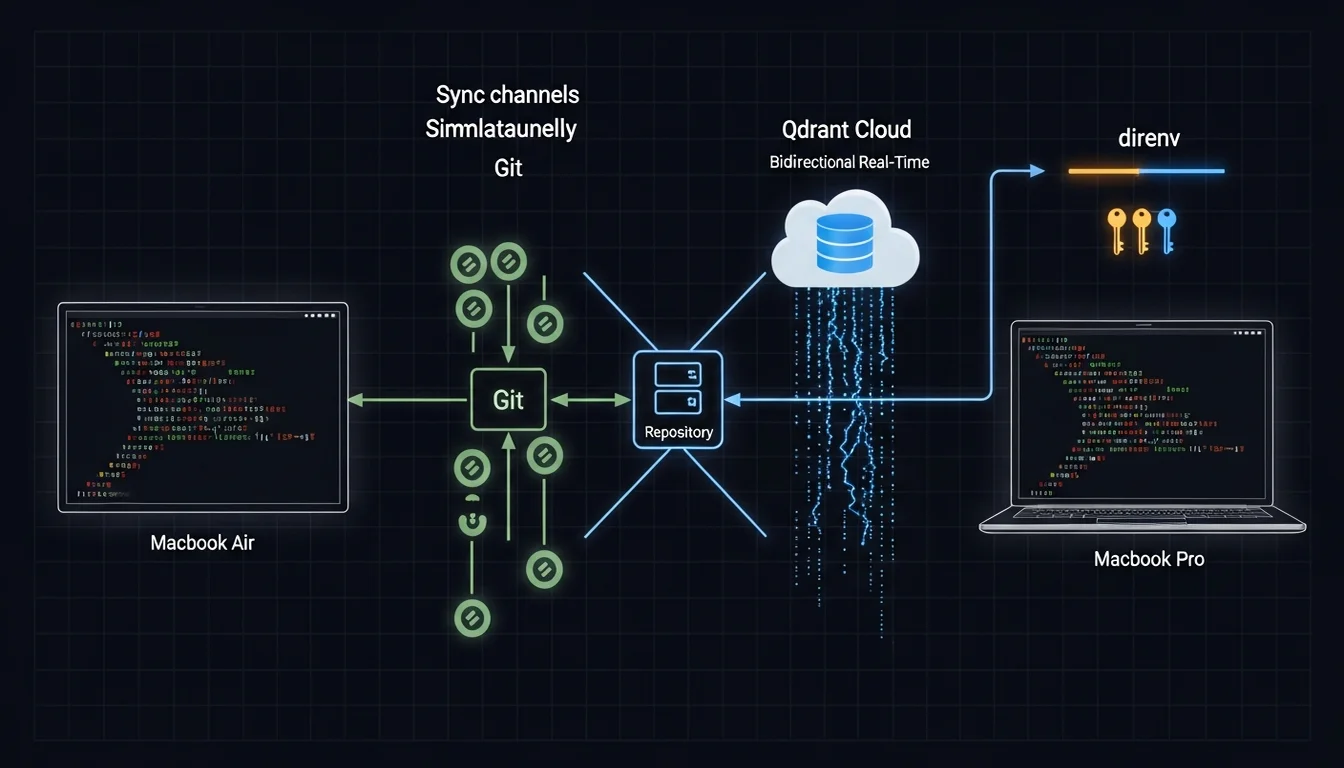
Back to the scenario from the opening: I made a decision on my travel Macbook Air, and the next day GM on my desk Macbook Pro didn’t know about it.
The three-layer memory architecture solves that problem, but each layer syncs differently:
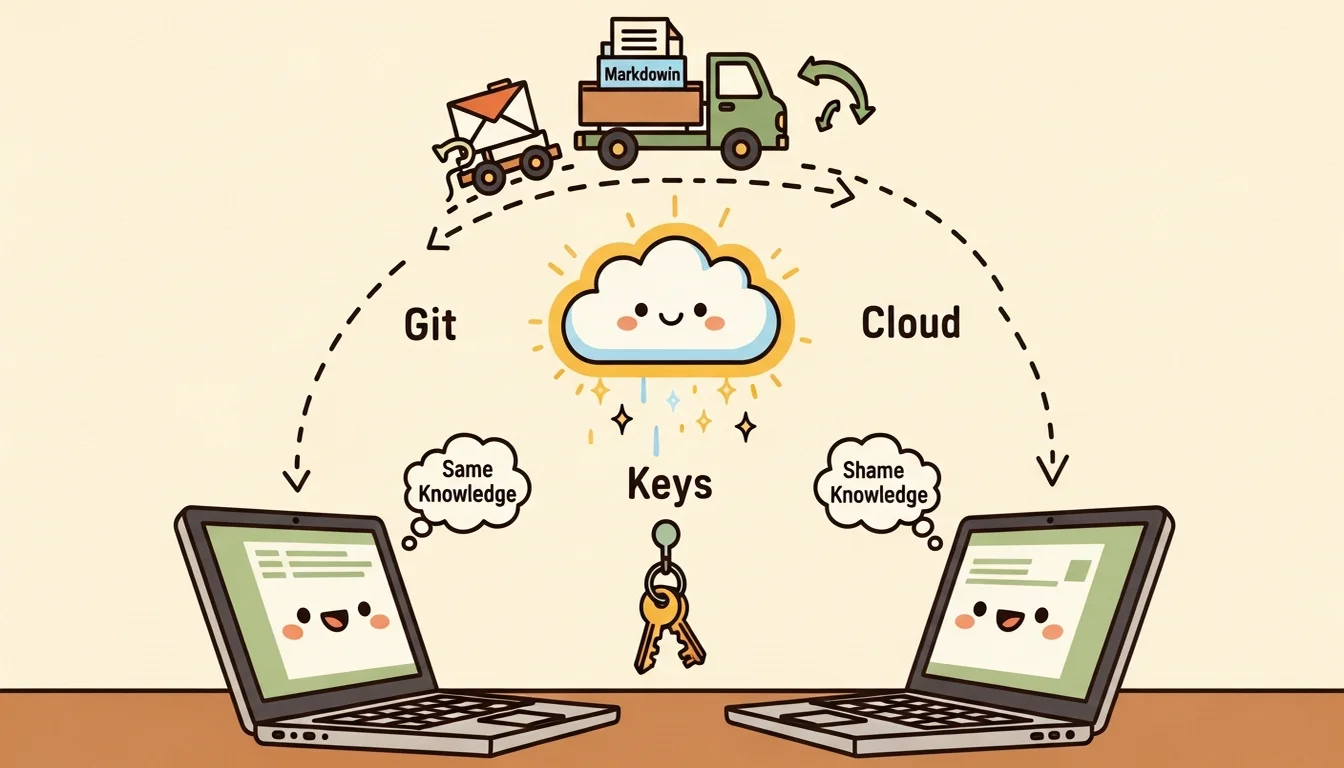
Git (State + Wiki): Update team-status.md or Em’s wiki on one machine, commit + push, and the other machine can pull and see the changes [7]. It’s not real-time (it requires manual git operations), but State and Wiki update infrequently enough (minutes to days) that manual sync is acceptable.
Qdrant Cloud (mem0): Store a memory via /m0-add on one machine, and the SessionStart hook on any other machine can find it immediately — because Qdrant Cloud is a cloud service, no sync operation needed.
direnv (environment variables): The .envrc file is exchanged through a cloud mechanism I set up (a NAS works well for lightweight services like this, and building it with AI is fast). After syncing, direnv allow loads everything — API keys, venv paths, environment configuration.
Three sync mechanisms, each owning one layer, no overlap, no gaps [8]. State and Wiki use Git because they’re structured markdown files that benefit from Git’s diff and merge. mem0 uses Qdrant Cloud because decision memories need to be immediately visible — they shouldn’t wait on a Git operation. Environment variables use direnv because they need to load automatically when you enter the directory — you don’t want to export them manually.
(Three different sync mechanisms might sound complicated, but compare it to stuffing everything into a single system only to discover it can’t handle certain scenarios. Three systems each doing what they’re good at is actually simpler — at least when something breaks, you immediately know which layer to look at.)
Memory Isn’t One Problem
Looking back at the full arc of this article, the most important thing I want to highlight about building the Agent Team’s memory system is this: “Context persistence” isn’t one problem — it’s a collection of problems at different layers.
“What’s happening now” persistence (State), “what we know” persistence (Wiki), “why we decided this” persistence (mem0) — these three problems are fundamentally different in nature and require completely different solutions. If you try to solve them all with one system (stuff everything into the Context window, or dump everything into a vector database), you’ll find it works well in some scenarios and completely fails in others. Then you start patching. By the end of patching, you’ve implicitly built three systems with different orientations — you just haven’t labeled them clearly. That’s actually harder to deal with than laying the right foundation from the start.
In the Context Engineering article, I talked about the JIT loading principle. That principle becomes much more concrete when applied to memory systems: knowledge isn’t just “load when needed” — it’s “load the right type of knowledge from the right layer.” State answers “now.” Wiki answers “what.” mem0 answers “why.” Three questions, three different data sources. If you try to solve everything with a single system, you’ll keep patching and extending until you’ve implicitly built three separate subsystems anyway — just without clear boundaries. Better to separate the foundations from the start and avoid the structural debt of retrofitting later.
Viewed this way, the most counterintuitive design in a memory system is: don’t try to make an Agent “remember everything” — design a mechanism that lets it “find” the right thing when it needs it. Funny, right? The critical design in a memory system turns out to be search — maybe we should call it a search system instead? But remembering and finding really are two different things. Remembering means stuffing things into Context, Rules, or Memory. Finding means knowing where to ask. In an era where every token is precious, this distinction matters even more — which is why the last thing to stabilize in my memory system wasn’t the storage mechanism, but the search mechanism (QMD). Storing things isn’t the hard part. Finding what you stored — and finding the right thing — that’s the real challenge.
References
[1] arXiv — Mem0: Building Production-Ready AI Agents with Scalable Long-Term Memory https://arxiv.org/abs/2504.19413
[2] arXiv — Multi-Layered Memory Architectures for LLM Agents: An Experimental Evaluation(多層記憶:working memory、episodic、semantic、procedural) https://arxiv.org/html/2603.29194
[3] arXiv — A-MEM: Agentic Memory for LLM Agents(NeurIPS 2025,反面觀點:動態自組織記憶可能比靜態分層更有適應性) https://arxiv.org/abs/2502.12110
[4] Qdrant — Mem0 + Qdrant Integration Documentation https://qdrant.tech/documentation/frameworks/mem0/
[5] Airbyte — Chroma DB vs Qdrant: Key Differences https://airbyte.com/data-engineering-resources/chroma-db-vs-qdrant
[6] 4xxi — Vector Database Comparison 2026(注意:ChromaDB 2025 Rust 改寫後效能提升 4x,差距可能已縮小) https://4xxi.com/articles/vector-database-comparison/
[7] DEV Community — How I Gave My AI Agents a Permanent Memory That Syncs Across Machines(git-synced MCP memory server 實作) https://dev.to/keshrath/how-i-gave-my-ai-agents-a-permanent-memory-that-syncs-across-machines-4755
[8] DEV Community — Designing Memory for 20 AI Agents Across 9 Nodes(跨機器同步的 race condition 問題) https://dev.to/linou518/designing-memory-for-20-ai-agents-across-9-nodes-multi-agent-memory-architecture-4nhe
[9] Martin Fowler — Strangler Fig Pattern(支持「先建搜尋介面再完成遷移」的漸進式架構策略) https://martinfowler.com/bliki/StranglerFigApplication.html
[10] Analytics Vidhya — Architecture and Orchestration of Memory Systems in AI Agents https://www.analyticsvidhya.com/blog/2026/04/memory-systems-in-ai-agents/
Support This Series
If these articles have been helpful, consider buying me a coffee