


Contents
- Tip 1: Know What to Clarify vs. What to Let Go
- What to Clarify: Implicit Human Context
- What to Let Go: AI’s Knowledge Space
- Tip 2: Your Involvement Is Strategy, Not Guidance
- But Strategy Isn’t a Silver Bullet
- Strategy Needs Both Positive and Negative Dimensions
- But Strategy Needs Regular “Health Checks”
- Tip 3: Distinguish “Additive” from “Subtractive” Iteration
- Additive and Subtractive
- How the Three Tips Connect
- References
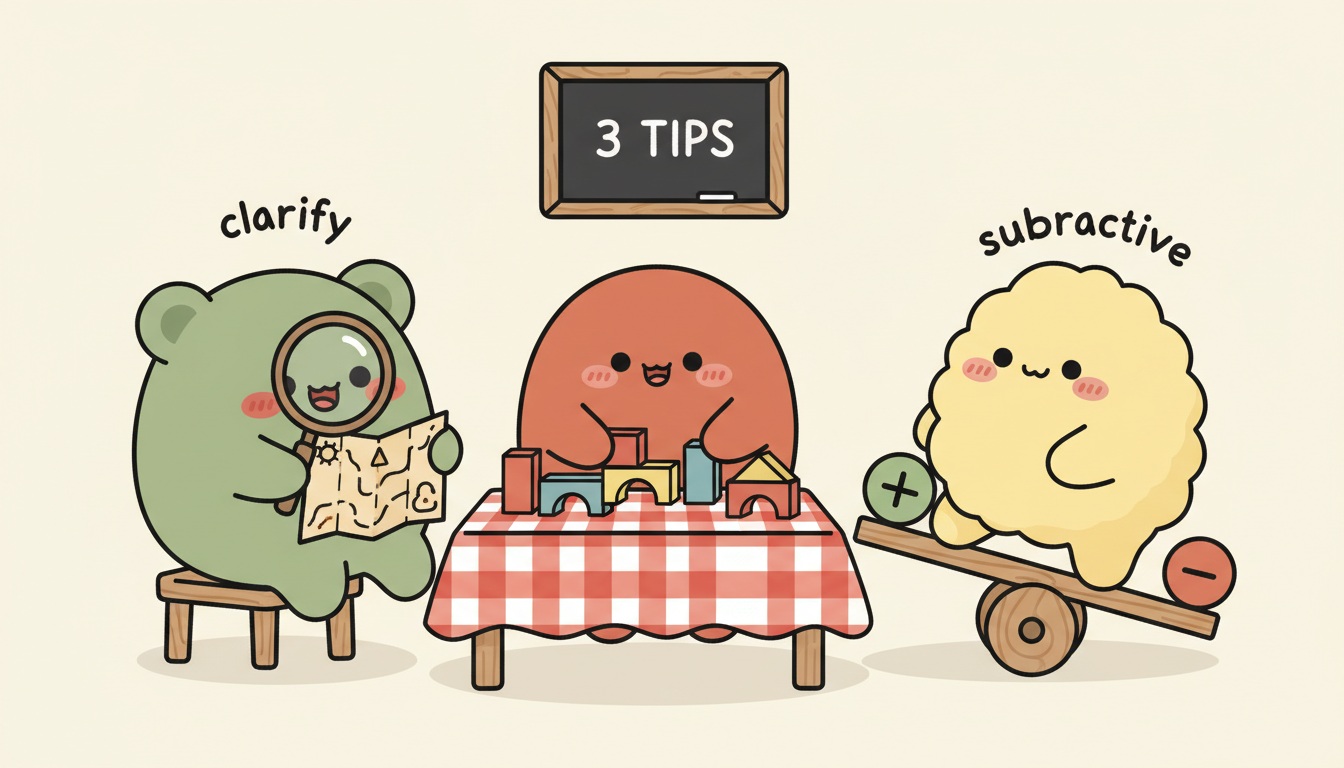
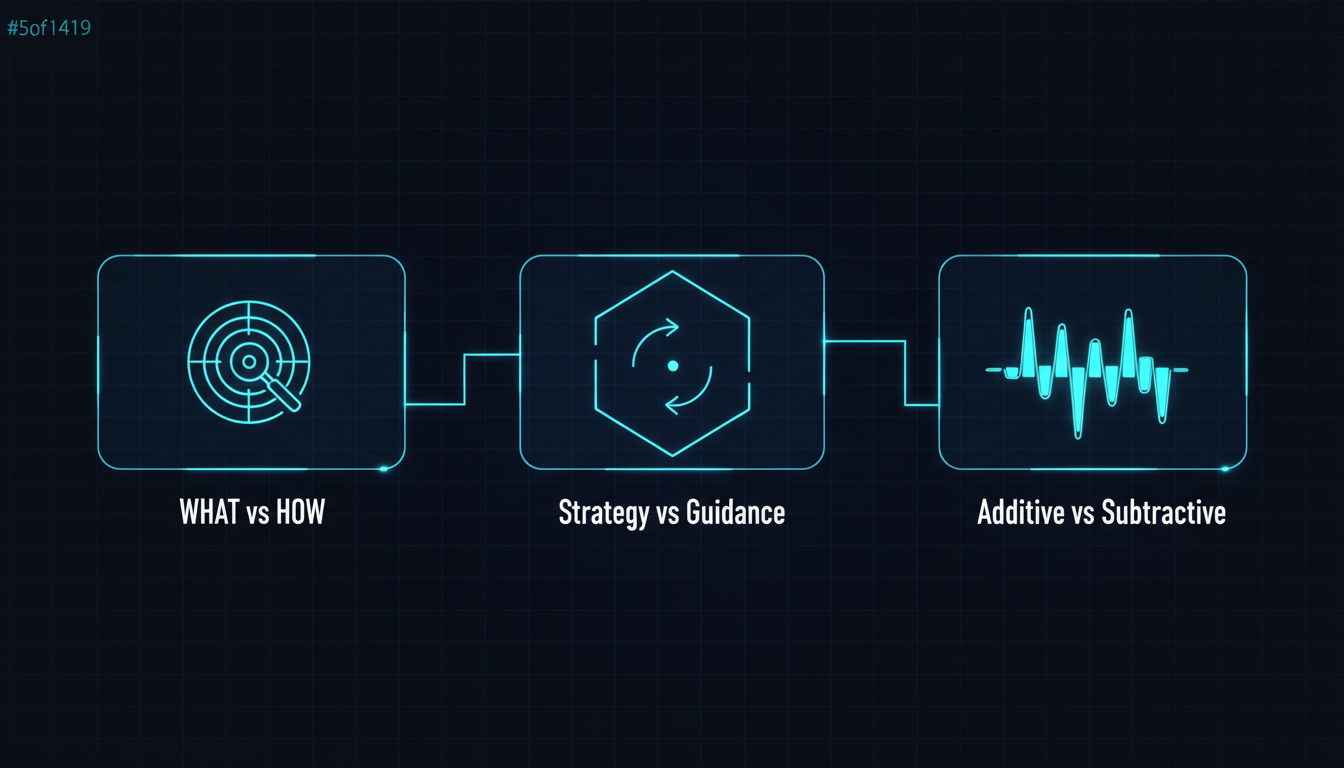
Yesterday I shared some Agent-building lessons at our R&D Weekly SyncUp — demoing recent work and conversations. A few tips from that session are worth writing up here.
The first 11 articles built two series: the technical framework (articles 1–7) explaining what an AI Agent system looks like, and the mindset series (articles 8–11) explaining how to design workflows.
Today we’re not talking about architecture or methodology. We’re talking about the details you interact with every day when working with AI — details that are easy to overlook but have an outsized impact.
Tip 1: Know What to Clarify vs. What to Let Go
AI and humans think in fundamentally different ways. AI’s current architecture mimics human cognition, but the underlying structure is different, and the way it processes input is different too. This difference creates a core question: when should you be explicit? And when should you step back?
What to Clarify: Implicit Human Context
Here’s a classic programmer joke: you tell an engineer “buy me five apples, and if you see bananas, buy one.” They might come back with one apple — because they saw a banana. I know it’s a terrible joke, but it makes an interesting point: any normal person understands you meant “five apples plus one banana,” but a strictly literal thinker might interpret it differently (would they though? ha~). The thing is, AI can make the same kind of mistake. I call this implicit human Context — the kind of thing humans infer through common sense and surrounding context, but which AI can logically get wrong.
The most common scenario: you describe which files to read or modify, and the AI gets the directory wrong or misidentifies the subject. Humans use surrounding context to know what “it” refers to, and AI can too most of the time — but it trips up in edge cases. Pete Hodgson captured this perfectly in an article [3]: an LLM is like a developer with senior-level coding ability but junior-level design judgment — it knows the technology, but lacks the implicit context of your specific project. A 2025 study across 13 mainstream LLMs [1] confirmed this: models perform well on general tasks, but degrade significantly when required to follow precise instructions like brand voice, formatting rules, or content boundaries.
So these are the things worth spelling out: file paths, pronoun references, implicit business logic, and any premise that “humans take for granted but AI won’t automatically infer.”
What to Let Go: AI’s Knowledge Space

On the flip side, AI knows a lot more than you might think. If you work with AI regularly, you’ll notice something: in certain scenarios, the more you direct AI and the more frameworks you hand it, the dumber it gets.
Why “in certain scenarios”? Because there’s an important nuance here. MIT Sloan’s 2025 research [14] found that more detailed prompts deliver results equivalent to upgrading the model. I know that sounds like it contradicts the “let go” framing. And USC’s PRISM study [15] (March 2026, the most current one) also found that persona prompts like “you’re an expert engineer” were effective in 5 out of 8 task categories — only pure factual queries saw lower accuracy. So “more direction = dumber” isn’t a universal law. What’s the actual distinction?
The key question is: what exactly are you directing?
Concrete example: say you’re building a website. You tell the AI: “Use Next.js 14 + Tailwind + Prisma + PostgreSQL, start with a monorepo structure, then build the homepage with Server Components, then…”
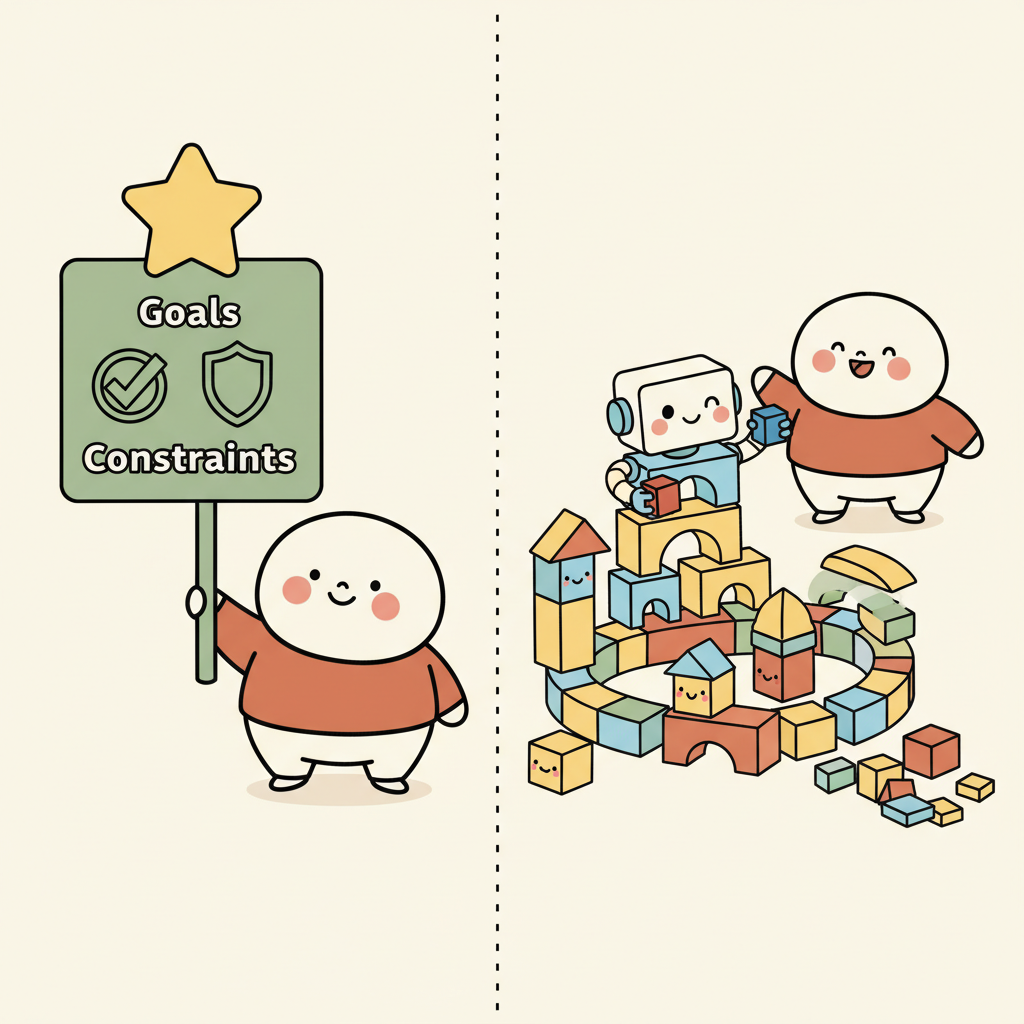
That’s directing HOW — the execution path. You’ve locked in the tech choices, architecture decisions, and implementation order. The AI will obediently follow along, but it won’t tell you “actually, Astro might be a better fit for this use case” or “Prisma will have performance issues at this scale” — because your instructions have crowded out its judgment.
But if you say: “I want to build a blog. Expected traffic is low, needs to be SEO-friendly, fast-loading, and cheap to deploy. Please research suitable tech options and give me your recommendation.”
That’s specifying WHAT — goals, constraints, what you care about. The AI can freely explore within your defined framework, drawing on its vast knowledge base to make tech choices — instead of being constrained by your preconceptions.
That’s the core of Tip 1: be clear about goals and constraints; let go of the execution path.
Human Defines"] direction TB G["Goals"] C["Constraints"] CTX["Implicit Context"] end subgraph HOW["HOW — Let This Go
AI Explores"] direction TB T["Tech Choices"] A["Architecture"] I["Implementation Path"] end WHAT -->|"defines boundaries"| HOW style WHAT fill:#f0f7f1,stroke:#6b8f71,stroke-width:2px style HOW fill:#fdf6f0,stroke:#c67a50,stroke-width:2px
Anthropic’s Context Engineering guide [4] makes this explicit: as models get smarter, they need less prescriptive engineering — we should allow agents greater autonomy. Traditional templates and few-shot examples can actually backfire when an agent needs to work autonomously in a loop.
But this immediately raises a question: if I shouldn’t be directing AI on how to do things, what form should my involvement take?
Tip 2: Your Involvement Is Strategy, Not Guidance
The website example above already hints at the answer. Telling AI “use Next.js + Tailwind + Prisma” is guidance — you’re making the technical decisions for it. Telling AI “SEO-friendly, fast-loading, low deployment cost” is strategy — you’re defining constraints and boundaries.
Guidance gives AI a road. Strategy gives AI a boundary and lets it find its own way inside.
The prompt structure Anthropic recommends in Building Effective Agents [6] — Context, Task, Constraints, Format, Criteria — is essentially this same philosophy: the best prompts strike a balance between specific direction and flexibility. The Figma design team [9] makes the same point: constraints don’t limit creativity — constraints give creativity shape.
But Strategy Isn’t a Silver Bullet
There’s a counterpoint here. A 2026 survey of Agentic AI architectures [18] noted that the dominant industry trend is “controllable orchestration” — meaning practitioners have found that a purely constraint-based approach isn’t sufficient for reliable operation in complex multi-step tasks. In these scenarios, AI needs explicit step-by-step guidance to ensure predictability. The Plan-and-Solve research [16] also found that in reasoning tasks, explicitly breaking a problem into a step-by-step plan consistently outperforms simply saying “Let’s think step by step.”
So the real principle isn’t “always just give strategy” — it’s: match your depth of involvement to the nature of the task.
- Open-ended / exploratory tasks (tech selection, design direction, research) → give strategy and constraints, let AI explore
- Precise / multi-step tasks (migration scripts, data processing pipelines, confirmed implementations) → give explicit steps, reduce degrees of freedom
Tech selection, design, research"] TASK --> PRECISE["Precise / Multi-step
Migration, Pipelines, Confirmed implementation"] OPEN --> STR["Give strategy + constraints
High autonomy"] PRECISE --> STEP["Give explicit steps
Low autonomy"] style OPEN fill:#f0f7f1,stroke:#6b8f71,stroke-width:2px style PRECISE fill:#fdf6f0,stroke:#c67a50,stroke-width:2px style STR fill:#f0f7f1,stroke:#6b8f71,stroke-width:1px style STEP fill:#fdf6f0,stroke:#c67a50,stroke-width:1px
Strategy Needs Both Positive and Negative Dimensions
When defining strategy, you need to think in both directions: what AI should do, and what it should not do.
Here’s an example: you tell the AI “User A should see Item A, User B should see Item B.” The AI might build a page that displays both Item A and Item B — because it considers both conditions satisfied. But what you implicitly meant was: A shouldn’t see B’s items, and B shouldn’t see A’s. (I ran into exactly this when building a website QA Agent recently.)
There’s a nuance worth noting here. Early research (the Pink Elephant Problem [7]) suggested that negative instructions (“don’t do X”) were less effective than positive ones (“do Y”), analogous to the ironic rebound effect in psychology. But a more recent 2025 study [17] challenged this conclusion — as model scale increases, models handle negation significantly better. A June 2025 study [19] even found that training with only negative examples consistently improved reasoning performance.
So both positive and negative constraints are effective tools — there’s no need to force yourself to use only one. More importantly: have you actually thought through both directions? Many people tell AI what to do but forget to specify what not to do. Boundaries defined upfront carry far more weight than corrections made after discovering errors. In practice, the recommendation is: in cases where constraints are ambiguous or AI is prone to misreading, positive framing tends to be more reliable —
| Easy to misinterpret | More explicit version |
|---|---|
| Don’t modify module A | Scope modifications to module B only |
| Don’t use the old API | Use the v3 API |
| User A shouldn’t see Item B | User A’s page shows only Item A |
That said, when the boundary is clear, “don’t do X” works just as well — especially with newer, larger models.
In the language of the Five-Layer Architecture from article 2: guidance means you’re making decisions for the Agent; strategy means you’re writing a Skill — providing a methodology for judgment so the Agent can decide for itself.
But Strategy Needs Regular “Health Checks”
As you start giving AI various constraints — positive, negative, strategic — these constraints accumulate over time. Some you set up at the beginning, others you add along the way after running into problems. And once they pile up enough, you’ll notice something: the constraints and context you’re feeding AI have grown so dense that they’re starting to interfere with each other.
That leads us to the final Tip.
Tip 3: Distinguish “Additive” from “Subtractive” Iteration
When something goes wrong, the instinct is to keep patching — keep modifying, keep adding constraints. But if you remember article 9 (the refinement cycle), you know this isn’t linear — iteration sometimes makes things better and sometimes makes things worse.
That said, good iteration does exist. On the positive side: the NeurIPS Self-Refine study [20] showed that having an LLM repeatedly generate feedback on its own outputs and refine them leads to sustained quality improvements — an average of about 20% across 7 tasks. A late-2025 applied study [21] also found that iterative self-refinement improved test correctness from 53% to 75%–89%.
So iteration itself isn’t the problem. The problem is unstructured repetition — retrying the same way with the same context over and over.
morphllm’s research named this phenomenon Context Rot [10]: even before the context window is full, LLM output quality degrades significantly as input length grows. All 18 models tested performed worse on long inputs, with typical symptoms including forgotten constraints, contradictory edits, and redundant work.
There’s a nuance here too: newer models are already improving on this. Anthropic reports that Claude Opus 4.6 maintains 90% retrieval accuracy across a full 1M token context [22] (in my own experience, quality starts a gradual decline somewhere around 75–80% context utilization). Factory.ai’s evaluation [23] also shows that structured context compression (anchor-based summarization) can effectively counteract Context Rot — you don’t need to restart the conversation every time.
So it’s not “iteration inevitably degrades” — it’s “unstructured iteration inevitably degrades.” Structured iteration (explicit feedback, periodic compression, clear improvement targets) can keep making progress.
Additive and Subtractive
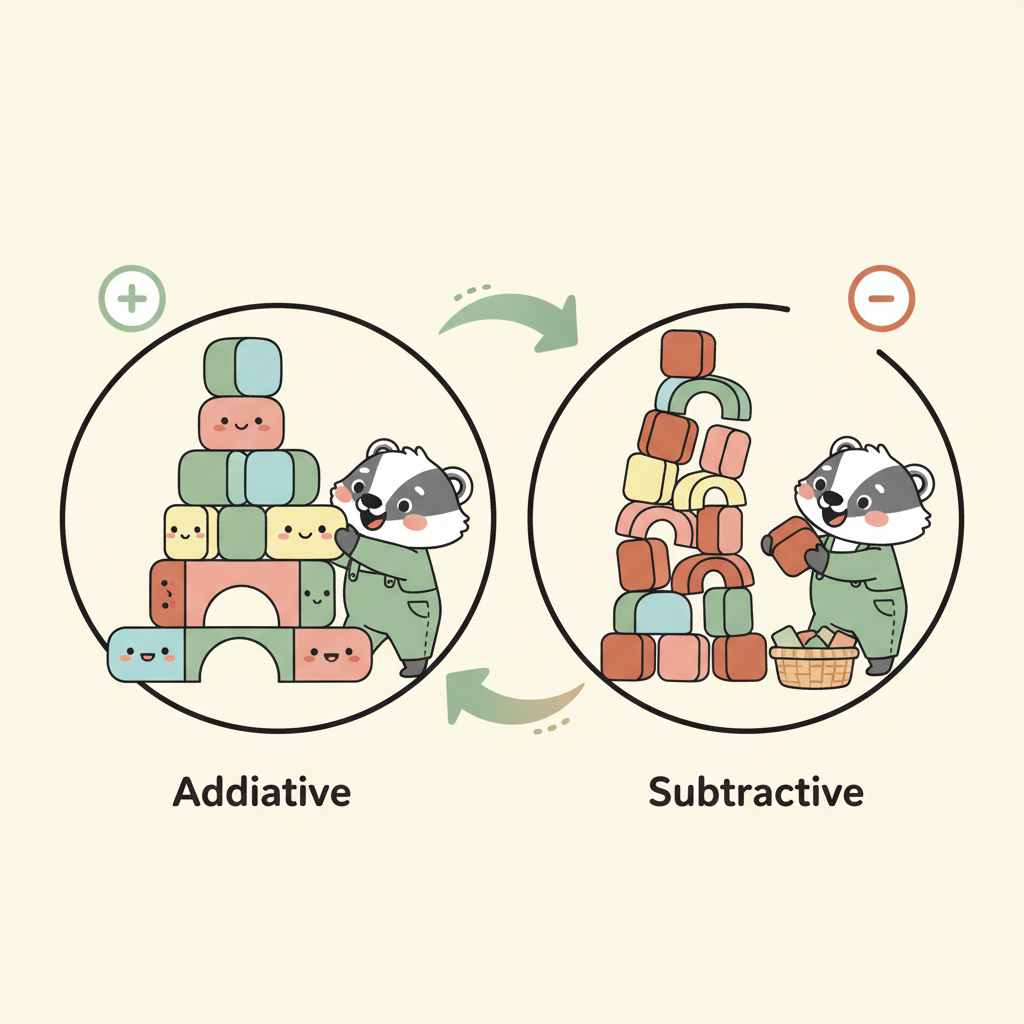

This is where the additive vs. subtractive distinction comes in:
Additive phase: When you first start working with AI on something, iteration is naturally additive — you’re building a system, adding rules, adding features, adding constraints. That’s normal.
Subtractive phase: When you hit a plateau — the same problem keeps surfacing after multiple fixes, AI response quality has noticeably declined, iteration is no longer making progress — what you need isn’t to add more. Instead:
- Step back — revisit how you’ve been communicating with the AI and all the constraints that have piled up
- Find missing Context — maybe it’s not that the AI isn’t capable enough; maybe there’s critical information it simply doesn’t have. Ask it to research, explore, and find what’s missing
- Refine existing content — ask the AI to look at everything built so far and identify: what’s no longer needed, which constraints contradict each other, what can be cleaned up
An arXiv study from 2025 [11] found that 46% of changes in AI-assisted programming are new additions, and the proportion of refactoring has been declining year over year — because AI is naturally biased toward addition and weak at subtraction.
Google Chrome’s Addy Osmani [12] describes a consistent approach: break work into chunks small enough for the AI to handle within context, implement and test each step before moving on. His core point: knowing when to use AI and when to take over yourself is the critical dividing line between AI accelerating or slowing you down. Google’s internal randomized controlled trial [24] showed that developers using AI were roughly 21% faster on average. So AI isn’t what slows you down — not knowing when to stop and when to subtract is.
My own practice: every half-day to full day of AI collaboration, I pause. I look back at everything we’ve built together and use subtraction to bring the goals back into a framework and direction that’s coherent enough to keep going.
Addition moves you forward. Subtraction keeps you from getting lost.
How the Three Tips Connect
These three tips aren’t independent — they form a continuous line of thinking:
Clarify WHAT vs HOW
Be clear on goals, let go of execution"] Q1{{"But after letting go —
how should humans intervene?"}} T2["Tip 2
Involvement is strategy, not guidance
Define boundaries, not routes"] Q2{{"But strategy and constraints
keep accumulating?"}} T3["Tip 3
Distinguish additive from subtractive iteration
Know when to add, when to subtract"] CORE(["Core: Clear on goals
Let go of execution
Stay conscious of rhythm"]) T1 --> Q1 --> T2 --> Q2 --> T3 --> CORE style T1 fill:#f0f7f1,stroke:#6b8f71,stroke-width:2px style T2 fill:#fdf6f0,stroke:#c67a50,stroke-width:2px style T3 fill:#f0eff7,stroke:#7a6b8a,stroke-width:2px style CORE fill:#faf8f5,stroke:#2d2d2d,stroke-width:3px style Q1 fill:#fff,stroke:#999,stroke-width:1px style Q2 fill:#fff,stroke:#999,stroke-width:1px
Tip 1 tells you that AI thinks differently from you — be explicit where it matters (goals, constraints), and let go where it doesn’t (execution path). But “letting go” doesn’t mean “abandoning” — you still need to be involved. What should that involvement look like?
Tip 2 answers that — your involvement is strategy (defining boundaries), not guidance (prescribing routes). Strategy needs both positive and negative dimensions, and the depth of your involvement should match the task. But as strategy and constraints accumulate, your context gets increasingly tangled!
Tip 3 handles this — iteration isn’t always additive. Good iteration has structure, feedback, and subtraction built in. Knowing when to add and when to subtract is the key rhythm of long-term AI collaboration.
And this is the thread running through all three Tips:
Treat AI as a highly capable collaborator that needs clear boundaries: be clear on goals, let go of execution, and stay conscious of rhythm.
References
Tip 1:
- [1] “The Instruction Gap: How LLMs Get Lost Following Instructions” (arXiv, 2025) — 13 LLMs show significant degradation in precise instruction-following scenarios link
- [2] “Telling an AI model that it’s an expert makes it worse” (The Register, 2026) — USC study: persona prompts reduce factual accuracy link
- [3] “Why Your AI Coding Assistant Keeps Doing It Wrong” (Pete Hodgson, 2025) — AI is a senior coder but junior designer link
- [4] Anthropic, “Effective Context Engineering for AI Agents” — smarter models need less prescriptive engineering link
- [5] “Chain-of-Thought Prompt Engineering for Medical QA” (ScienceDirect, 2025) — adding prompt complexity doesn’t guarantee better results link
- [14] “Study: Generative AI results depend on user prompts as much as models” (MIT Sloan, 2025) — more detailed prompts deliver results equivalent to upgrading the model link
- [15] “Expert Personas Improve LLM Alignment but Damage Accuracy” (USC PRISM, 2026/03) — persona prompts effective in 5 of 8 task categories link
Tip 2:
- [6] Anthropic, “Building Effective Agents” — prompts should balance specific direction with flexibility link
- [7] “The Pink Elephant Problem” (16x Engineer, 2025) — the ironic rebound effect of negative instructions link
- [8] “Why Positive Prompts Outperform Negative Ones” (Gadlet) — positive instructions outperform negative ones link
- [9] “Cooking with Constraints” (Figma Blog) — constraints give creativity shape link
- [16] “Plan-and-Solve Prompting” (ACL 2023) — step-by-step plans outperform high-level constraints in reasoning tasks link
- [17] “Negation: A Pink Elephant in the Large Language Models’ Room?” (arXiv, 2025/03) — larger models handle negation significantly better link
- [18] “Agentic AI: Architectures, Taxonomies, and Evaluation” (arXiv, 2026/01) — industry trend toward controllable orchestration link
- [19] “The Surprising Effectiveness of Negative Reinforcement in LLM Reasoning” (arXiv, 2025/06) — negative training consistently improves reasoning link
Tip 3:
- [10] “Context Rot: Why LLMs Degrade as Context Grows” (morphllm) — all 18 tested models perform worse on long inputs link
- [11] “AI-Assisted Programming Decreases Productivity of Experienced Developers” (arXiv, 2025) — AI is biased toward addition; refactoring proportion declining link
- [12] “My LLM Coding Workflow Going Into 2026” (Addy Osmani) — small-loop iteration, knowing when to stop link
- [13] “Newer AI Coding Assistants Are Failing in Insidious Ways” (IEEE Spectrum) — 2025 models hit a quality plateau link
- [20] “Self-Refine: Iterative Refinement with Self-Feedback” (NeurIPS 2023) — iterative refinement improves quality by ~20% on average link
- [21] “Self-Refining LLM Unit Testers” (2025/12) — iteration improves correctness from 53% to 75%–89%
- [22] Anthropic — Claude Opus 4.6 maintains 90% retrieval accuracy across 1M token context
- [23] “Evaluating Context Compression for AI Agents” (Factory.ai, 2025-2026) — context compression effectively counteracts context rot link
- [24] Google internal RCT — AI-assisted developers are ~21% faster on average (via Addy Osmani) link
Support This Series
If these articles have been helpful, consider buying me a coffee